
Download & Install

The fastest way to put anything on the internet.

RustSDK

1

Get started with Rust

Clone the ngrok Rust SDK example:

git clone git@github.com:ngrok/rust-sdk-example.git && cd rust-sdk-example
2

Run your app

NGROK_AUTHTOKEN="<YOUR_AUTHTOKEN>" cargo run

Don’t have an authtoken? for a free account.

Open your ngrok URL in a browser to see it working!

You’re all set. What’s next?

1let tp = r#"2on_http_request:3  # redirect users to Google to log in4  - actions:5    - type: oauth6      config:7        provider: google8 9  # allow logins *only* from acme.com10  - expressions:11    - "!actions.ngrok.oauth.identity.email.endsWith('@acme.com')"12    actions:13    - type: deny14"#;15 16let mut listener = sess.http_endpoint().traffic_policy(tp)17  .listen_and_forward(Url::parse("http://localhost:8085")?)18  .await?;

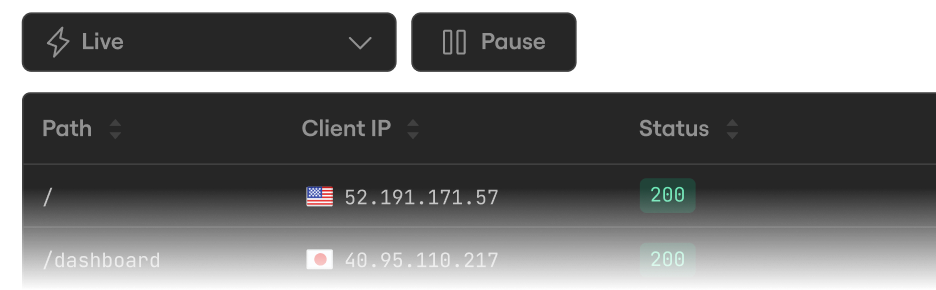
Inspect every detail of your traffic

Watch the flow in real time, then dig into the headers, body, latency, response, and more for every request.
Peruse the Rust SDK quickstart

Follow along to embed ngrok into your app and use Traffic Policy for auth and traffic transformation.

Bring your own domain

Paid feature

Create a DNS CNAME record to use your own domain name for your endpoint URL.

1async fn connect_ngrok() -> Result<(), Box<dyn std::error::Error + Send + Sync>> {2  let mut listener = sess3    .http_endpoint()4    .domain("hello-world.your-domain.com")5    .listen_and_forward(url)6    .await?;7}

Listen, don't forward

Serve traffic directly on an ngrok listener without forwarding. Your handler receives connections straight from the internet.

1async fn main() -> Result<(), Box<dyn std::error::Error + Send + Sync>> {2  let app = Router::new().route("/", get(|| async { "Hello from ngrok-rust!3" }));4  let listener = sess.http_endpoint().listen().await?;5  axum::Server::builder(listener).serve(app.into_make_service()).await?;6}