
Download & Install

The fastest way to put anything on the internet.

DockerAgent

1

Install the ngrok agent

docker pull ngrok/ngrok
2

Start an endpoint

1docker run -it \2  -e NGROK_AUTHTOKEN="<YOUR_AUTHTOKEN>" ngrok/ngrok:latest \3  http host.docker.internal:80

Don’t have an authtoken? for a free account.

Open your ngrok URL in a browser to see it working!

You’re all set. What’s next?

Copy the policy below into a local policy.yaml file.

1docker run -it \2  -v $(pwd)/policy.yaml:/etc/traffic-policy.yml \3  -e NGROK_AUTHTOKEN="<YOUR_AUTHTOKEN>" ngrok/ngrok:latest \4  http host.docker.internal:80 \5  --traffic-policy-file /etc/traffic-policy.yml
contents of policy.yaml
1on_http_request:2  # redirect users to Google to log in3  - actions:4    - type: oauth5      config:6        provider: google7 8  # allow logins *only* from acme.com9  - expressions:10    - "!actions.ngrok.oauth.identity.email.endsWith('@acme.com')"11    actions:12    - type: deny

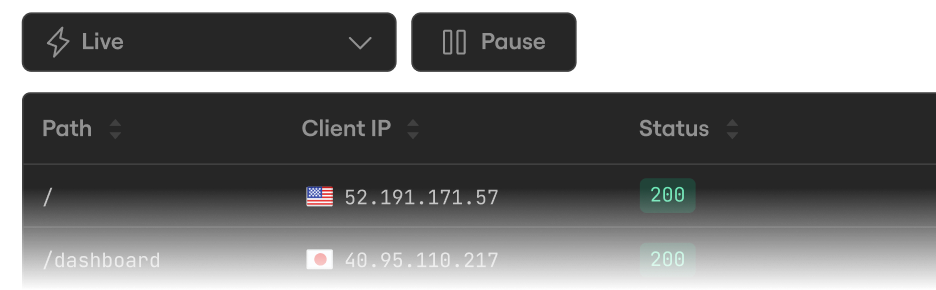
Inspect every detail of your traffic

Watch the flow in real time, then dig into the headers, body, latency, response, and more for every request.
Configure your agent

Configure settings like multiple endpoints, load balancing, and traffic transformation with Traffic Policy.

Bring your own domain

Paid feature

Create a DNS CNAME record to use your own domain name for your endpoint URL.

1docker run -it \2  -e NGROK_AUTHTOKEN="<YOUR_AUTHTOKEN>" ngrok/ngrok:latest \3  http host.docker.internal:80 --url https://app.acme.com

Run as background service

Recover connectivity after unexpected software or hardware failures.

1docker run -d --restart unless-stopped \2  -e NGROK_AUTHTOKEN="<YOUR_AUTHTOKEN>" ngrok/ngrok:latest \3  http host.docker.internal:80