
Download & Install

The fastest way to put anything on the internet.

RustSDK

1

Get started with Rust

Clone the ngrok Rust SDK example:

git clone git@github.com:ngrok/rust-sdk-example.git && cd rust-sdk-example

Install the ngrok Rust SDK:

cargo add ngrok url

Add ngrok to your app:

src/main.rs

use ngrok::config::ForwarderBuilder;use ngrok::prelude::*;use url::Url; async fn connect_ngrok() -> Result<(), Box<dyn std::error::Error + Send + Sync>> {    let sess = ngrok::Session::builder()        .authtoken_from_env()        .connect()        .await?;     let mut listener = sess        .http_endpoint()        .listen_and_forward(Url::parse("http://localhost:8085")?)        .await?;     println!("Available at: {:?}", listener.url());     let _ = listener.join().await;    Ok(())}
2

Run your app

NGROK_AUTHTOKEN="<YOUR_AUTHTOKEN>" cargo run

Don’t have an authtoken? for a free account.

Open your ngrok URL in a browser to see it working!

You’re all set. What’s next?

let tp = r#"on_http_request:  # redirect users to Google to log in  - actions:    - type: oauth      config:        provider: google   # allow logins *only* from acme.com  - expressions:    - "!actions.ngrok.oauth.identity.email.endsWith('@acme.com')"    actions:    - type: deny"#; let mut listener = sess.http_endpoint().traffic_policy(tp)  .listen_and_forward(Url::parse("http://localhost:8085")?)  .await?;
let tp = r#"on_http_request:  # verify webhook signatures from your provider  - actions:    - type: verify-webhook      config:        provider: github        # access your signing key from a secure ngrok vault        # no cleartext secrets in your policy, friend        secret: ${secrets.get('webhook-vault', 'github-secret')}"#; let mut listener = sess.http_endpoint().traffic_policy(tp)  .listen_and_forward(Url::parse("http://localhost:8085")?)  .await?;
let tp = r#"on_http_request:  # redirect users to your OpenID provider to log in  - actions:    - type: openid-connect      config:        issuer_url: https://accounts.google.com        # access your OIDC details from a secure ngrok vault        client_id: ${secrets.get('auth-vault', 'oidc-client-id')}        client_secret: ${secrets.get('auth-vault', 'oidc-client-secret')}        scopes:          - openid          - email"#; let mut listener = sess.http_endpoint().traffic_policy(tp)  .listen_and_forward(Url::parse("http://localhost:8085")?)  .await?;
let tp = r#"on_http_request:  - actions:    - type: basic-auth      config:        credentials:          # add up to 10 username:password pairs, all stored safely in a vault          - user01:${secrets.get('basic-auth-vault', 'password01')}          - user02:${secrets.get('basic-auth-vault', 'password02')}"#; let mut listener = sess.http_endpoint().traffic_policy(tp)  .listen_and_forward(Url::parse("http://localhost:8085")?)  .await?;

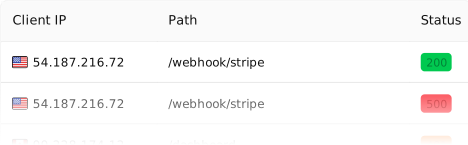
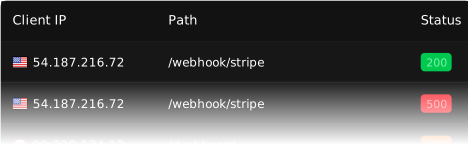
Inspect every detail of your traffic

Watch the flow in real time, then dig into the headers, body, latency, response, and more for every request.
Peruse the Rust SDK quickstart

Follow along to embed ngrok into your app and use Traffic Policy for auth and traffic transformation.

Bring your own domain

Paid feature

Create a DNS CNAME record to use your own domain name for your endpoint URL.

async fn connect_ngrok() -> Result<(), Box<dyn std::error::Error + Send + Sync>> {  let mut listener = sess    .http_endpoint()    .domain("hello-world.your-domain.com")    .listen_and_forward(url)    .await?;}

Listen, don't forward

Serve traffic directly on an ngrok listener without forwarding. Your handler receives connections straight from the internet.

async fn main() -> Result<(), Box<dyn std::error::Error + Send + Sync>> {  let app = Router::new().route("/", get(|| async { "Hello from ngrok-rust!" }));  let listener = sess.http_endpoint().listen().await?;  axum::Server::builder(listener).serve(app.into_make_service()).await?;}