

Usage
Query usage events and aggregated overview via the AI Gateway API
Debugging
Troubleshoot failed requests and error codes
Error Codes
Reference for gateway error responses
Identify a request
Every gateway response carriesNgrok-AIG-Request-Id, plus headers such as Ngrok-AIG-Attempts, Ngrok-AIG-Model, Ngrok-AIG-Rejected-Models, and Ngrok-AIG-Removed-Params that describe how the request was served.
Record the request ID in your application logs so you can tie a client-side failure to gateway usage data later.
See Response headers.
Usage API
Query usage with the AI Gateway API:startTime is required.
Group by provider (the default) or accessKey.
List individual usage events to see one record per upstream attempt.
Each event reports the provider, model, status code, token counts, and a per-attempt cost breakdown.
Attempts of the same client request share a requestId.
When an attempt’s model came from a virtual model, virtualModel holds the virtual model’s name as it was when the request ran.
By default the list returns only each request’s terminal attempt.
Pass includeRetries=true to see the retries the gateway made along the way.
When a provider reports no usage of its own,
usageEstimated is true and the provider-reported token fields are all zero.
Read inputTokensEstimate and outputTokensEstimate on those attempts instead.Look up one request
To see every attempt the gateway made for one request, pass itsNgrok-AIG-Request-Id to GET /usage/requests/{requestId}.
See Why a request failed over.
Inspect a request in app.ngrok.ai
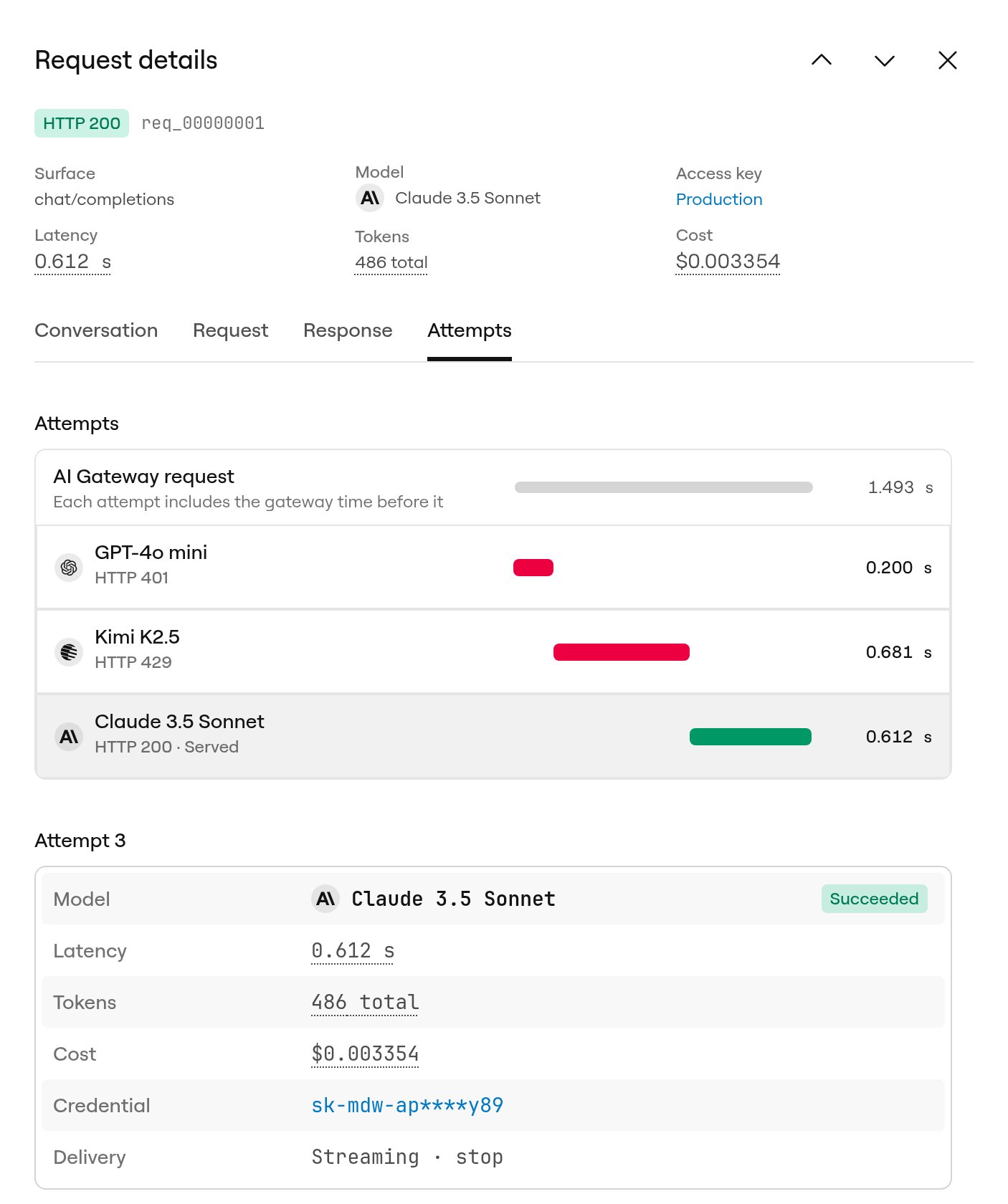
The Activity page lists your gateway requests, newest first, with each request’s outcome, model, access key, tokens, and cost. Select a row to open Request details, a panel that shows what your app sent, what came back, and every attempt the gateway made along the way. You can also open it from Recent attempts on the Overview page, or from View in Activity under an answer in the playground. The top of the panel shows the HTTP status, the request ID, and a summary of the request: the API it used, the model that served it, the access key, latency, tokens, and cost. Hover over the latency, token, or cost value for a breakdown. Use the arrows next to the title to step through the requests in the list. Each request and tab has its own URL, so you can share a link with someone on your account.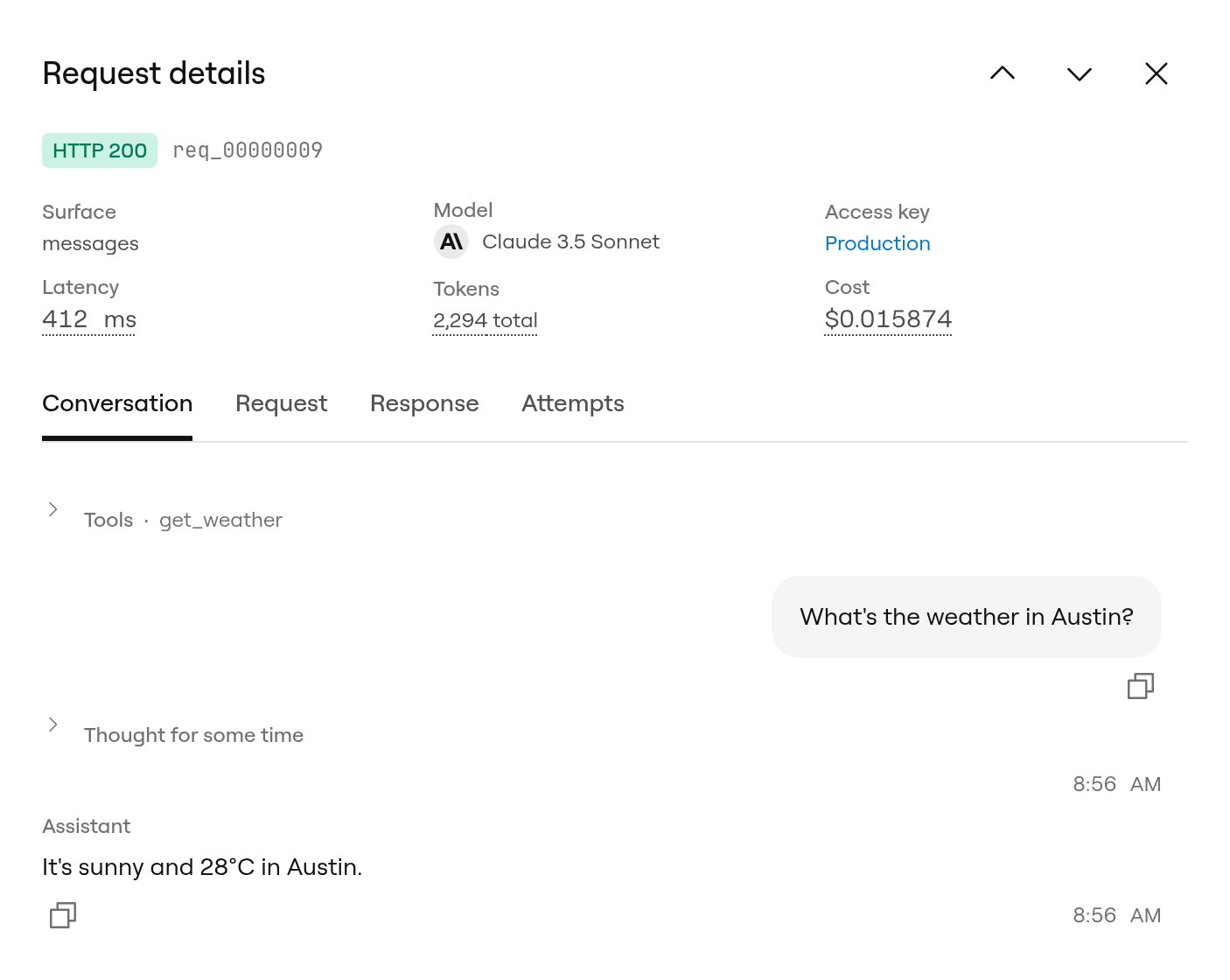
What the panel needs
The summary and the Attempts tab work for every request. Headers and bodies appear only for requests made while request capture was on. Capture is off by default. Without it, the Conversation, Request, and Response tabs show No content was captured with a link to turn capture on for future requests.Limits
- Retention: captured headers and bodies are kept for 30 days. Request metadata, including attempts, timing, tokens, and cost, is kept for 90 days, so older requests still show their attempts after their bodies expire.
- Size: each captured body stores up to 4 MB, and each set of headers up to 16 KiB. The panel warns you when content past the limit is unavailable.
- Redaction: credential headers such as
Authorization,x-api-key,x-goog-api-key, andCookieare redacted and show as Redacted. On the Request tab,Authorizationshows the name and ID of the access key that made the request instead. Bodies, including prompts and completions, are stored as sent. - Rejected requests: a request the gateway rejects before it calls a provider, for example because your credit balance is empty or the access key is invalid, has no attempts, so it doesn’t appear in the Activity list.
- Dashboard only: captured headers and bodies are available in app.ngrok.ai, not through the AI Gateway API. To read attempts from code, use
GET /usage/requests/{requestId}.