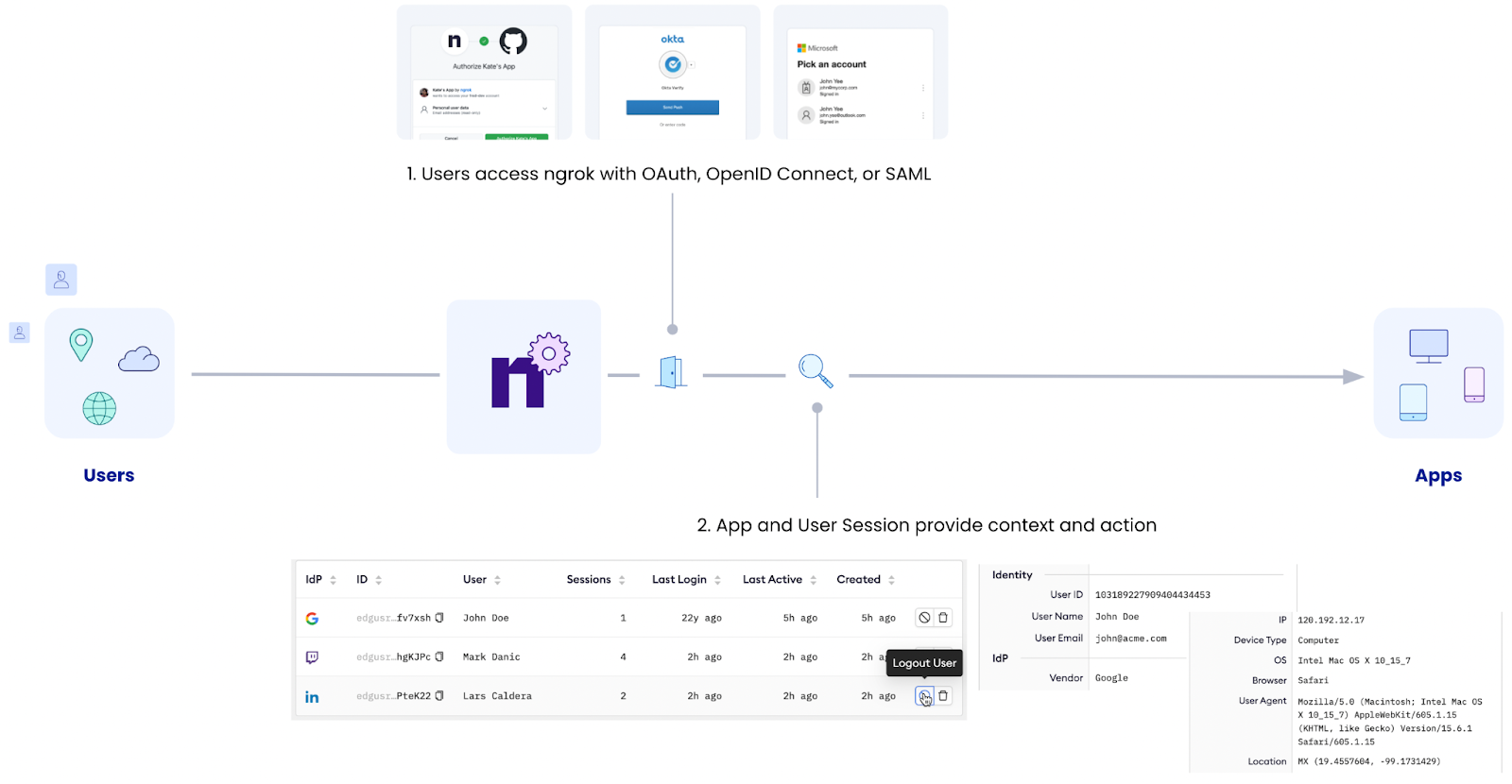
Identities and Sessions give you live visibility of users who have authenticated to Endpoints via the OAuth, OpenID Connect, and SAML (early access) Traffic Policy actions.
They enable you to:
Examine active user sessions to your authenticated endpoints including details like device, identity provider, IP address, and network
Revoke sessions to forcibly log users out via the dashboard or API
You can manage Identities and Sessions on your ngrok dashboard or via the ngrok API.Traffic Identities were previously called ‘App Users’.
You may find references with the old name while they’re being transitioned.
ngrok displays the table with the user identity overview, including the provider who authenticated your user, basic information about the user, and the identity provider used for login
ngrok also displays a list of endpoints the user has accessed.
Click on an endpoint that the user has accessed.ngrok displays session information captured while the user was accessing the endpoint. That includes the user device, IP, browser, agent, country, and geo coordinates based on IP
Pasting the coordinates into your favorite mapping service will give you more detailed information about the IP geolocation.
Click the trash can next to the user and then confirm the deletion.The user is deleted and all sessions are invalidated immediately.
Users can reinitiate sessions by logging in again via their Authentication provider.
You can also programmatically investigate and revoke user sessions using the Identities and App Sessions APIs. APIs are the recommended approach when you want to drive session monitoring and deletion from third-party apps such as security management solutions and identity workflows.Examples: