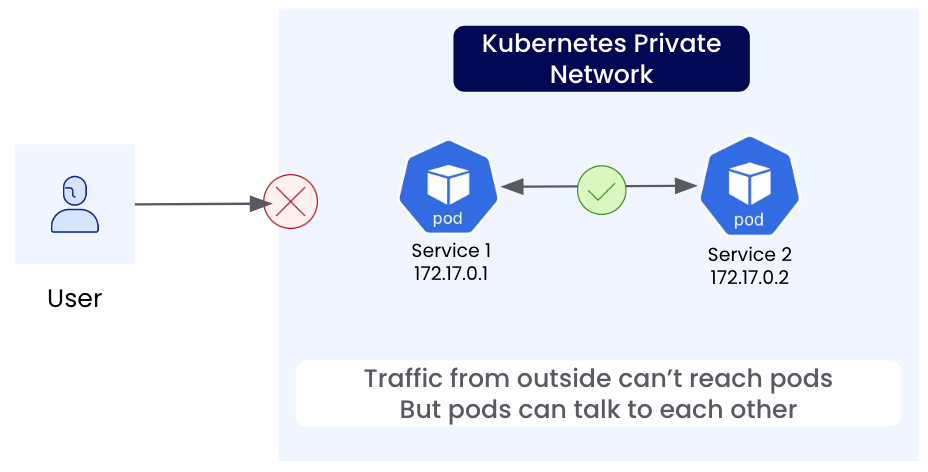
- You can port forward: In Kubernetes, this is a temporary solution using
kubectl. At home, you can configure your router. Both may be disrupted if your public IP address changes. - You can use an external load balancer of some sort that still needs access to the internal network somehow.
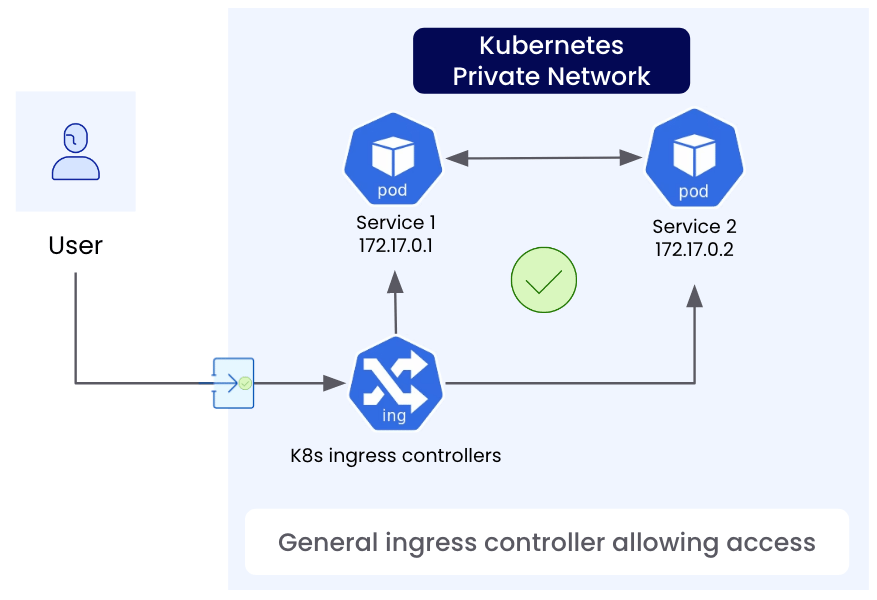
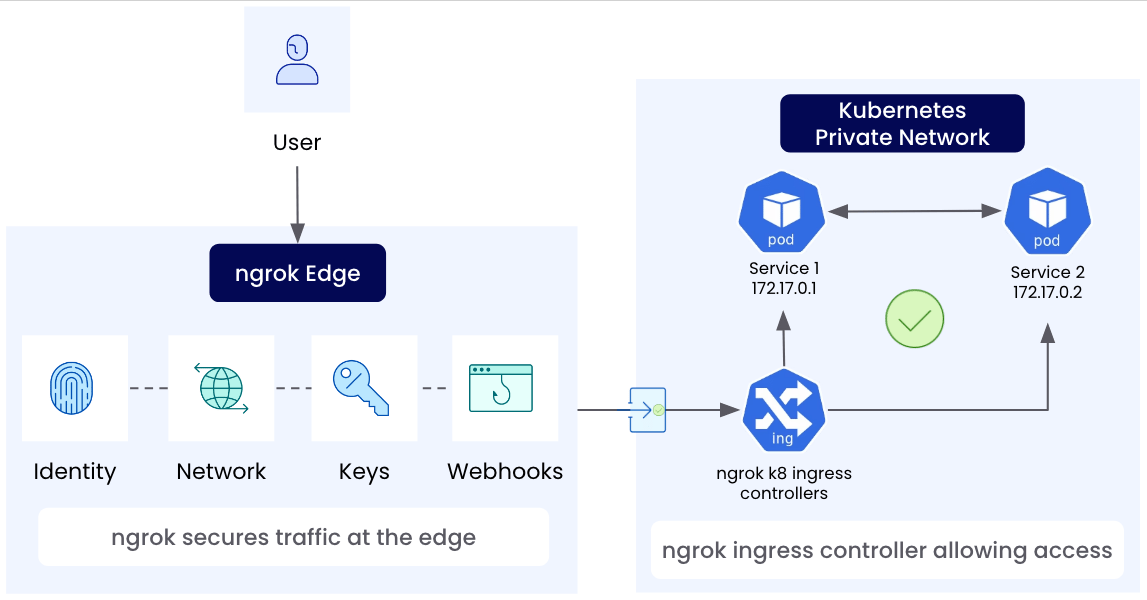
Gateway from Gateway API that define what hostnames/protocols/ports to accept traffic on
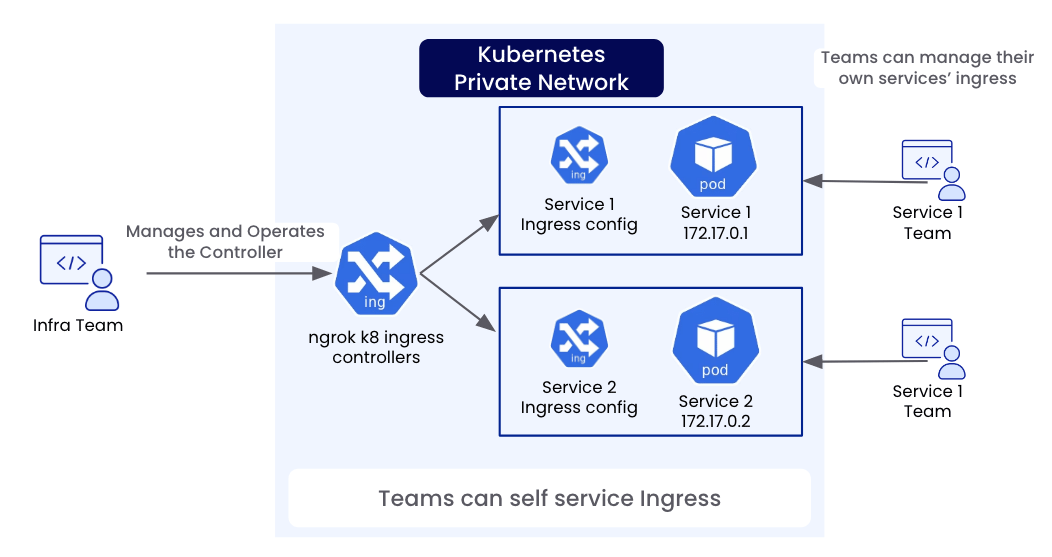
while other developers or teams can create, update, and manage configuration resources such as HTTPRoute, which define which services the traffic should be sent to.
This allows your operations/infrastructure team to focus on the higher-level policy about what kinds of traffic to accept while allowing other teams to self-service deploying their
services/applications and routing traffic to them without needing to put in a request for the operations/infrastructure team to do that for them.